
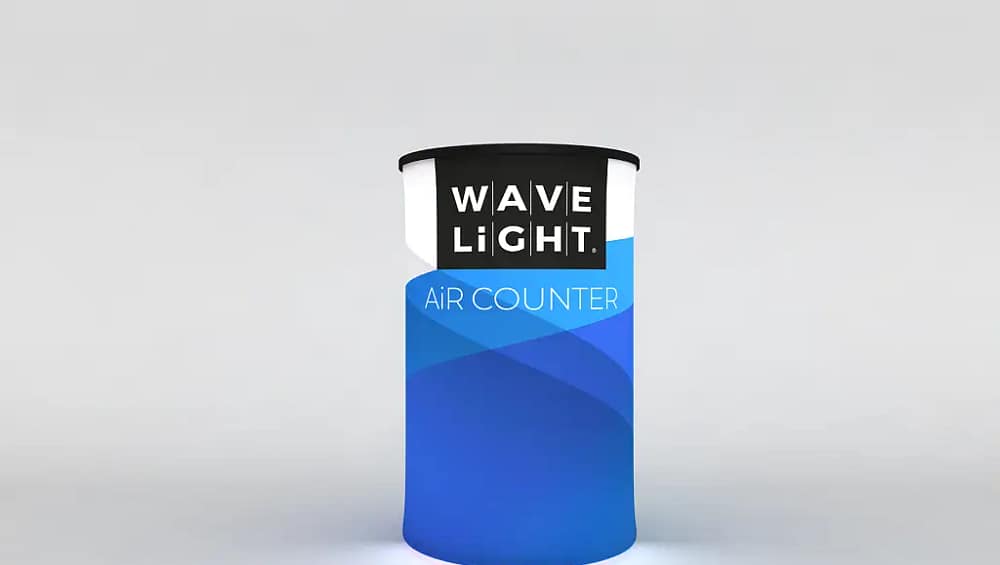
How to Assemble WaveLight® Air Counters for Quick Setup
WaveLight® Air Counters are a practical choice for Australian exhibitors who need fast, professional presentation at trade shows, shopping centre activations, and corporate events. These branded inflatable counters combine a stable base, premium fabric graphics, and optional backlighting to create a compact reception or product demonstration point. Understanding how the system works before your event will help you assemble it quickly, protect the materials, and maintain a consistent brand appearance across multiple sites.
Understanding WaveLight® Air Counters
WaveLight® Air Counters function as portable display counters that pack down into a carry bag yet inflate into a sturdy, eye-catching structure. The internal bladder is typically made from heavy-duty TPU, which is both airtight and flexible, while the outer shell holds the custom printed counter graphics. Many models integrate LED light display systems to create illuminated trade show counters that stand out in busy exhibition halls and retail environments.
Preparing Your Counter for Assembly
Before inflating the unit, clear a flat, clean area free from sharp objects that could damage the frame or fabric. Lay out each component: inflatable frame, graphic wrap, countertop, pump, and power supply if you have lighting. This preparation step is essential for lightweight promotional counters because it reduces the risk of misplacing small parts and speeds up setup time. Keep the user guide handy so you can confirm valve positions, inflation levels, and recommended safety checks.

Step-by-Step Assembly and Lighting Setup
Begin by unpacking all parts and inspecting the frame and fabric for visible damage before use. Locate the inflation valve, attach the manual or electric pump, and inflate the frame until it feels firm but not rigid, as overinflation can stress the seams. Stand the counter upright, then slide or wrap your graphic, ensuring zips and seams align smoothly. Once the top is secure, place the countertop onto the frame, engaging alignment pegs or clips for stability, and connect the power supply for any backlit exhibition furniture features.
Safety, Maintenance, and Event-Day Checks
To protect your investment in modular event counter systems, avoid dragging the unit across abrasive surfaces and keep it away from heat sources that may weaken the material. Wipe the graphic and countertop with a soft cloth and mild detergent, and ensure the counter is fully dry before storing it in a cool, dry carry bag. Before each event, confirm the inflation level, orientation of artwork, and stability on the venue floor. For teams using multiple tool-free trade show counters, it can be helpful to assign one staff member to oversee setup, visual checks, and pack-down.
For more guidance on choosing and maintaining illuminated trade show counters, consider speaking with an event signage specialist who understands Australian venues and regulations. They can explain how portable LED reception desk solutions compare with traditional counters, and which customizable event signage options best suit your brand. If you are planning a national roadshow, ask how branded inflatable counters can be combined with other portable systems to create a cohesive, repeatable stand layout. Use this knowledge to refine your brief, budget, and setup procedures for future events.
If you would like expert advice on selecting, assembling, and caring for WaveLight® Air Counters for your upcoming exhibition or promotion, take the time to consult a display professional who can review your floor plan, branding requirements, and timelines. With clear guidance on graphics, lighting, and maintenance, your team can confidently set up custom printed counter graphics in minutes and focus on engaging visitors instead of troubleshooting equipment.


