
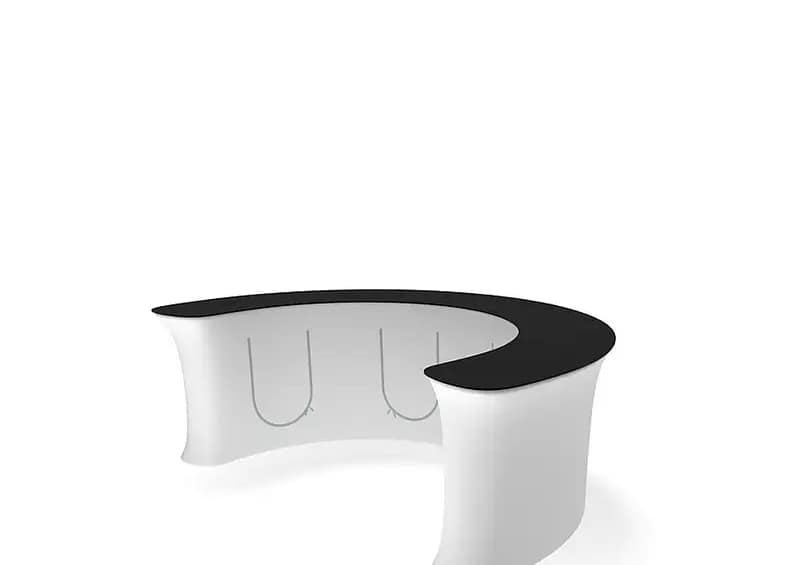
How to Create a Cohesive Look with WaveLine® InfoDesks at Events
1. Align Colours and Graphics with Your Stand Design
In packed Australian exhibition halls, visual consistency is what helps your brand cut through. Start by locking in a single brand style guide and applying it across backdrops, banners and WaveLine® InfoDesks. Match colours, typography and hero imagery so your stand feels like one integrated environment, not a collection of parts. This approach supports stronger recall for visitors who see you at multiple shows. It also makes it easier to brief printers and suppliers when you’re rolling out new campaigns or custom display solutions.
2. Use InfoDesks to Shape Visitor Flow and Engagement
Counters are more than a spot to stash brochures; they can organise how people move through your space. Position portable exhibition counters to frame entry points, guide visitors towards demos and define meeting zones. This reduces bottlenecks and gives staff clear, visible touchpoints for greeting prospects. In busy venues, well‑placed trade show information kiosks can also act as landmarks, helping attendees re-find your stand later in the day. A planned layout keeps your brand looking composed even during peak traffic periods.

3. Coordinate Materials, Lighting and Accessories
A cohesive stand is built on repeated design cues. Echo the same timber tones, matte finishes or metallic trims across furniture, modular branded counters and brochure holders. Add consistent LED strip lighting or downlights to highlight key zones and product displays. Lightweight trade show desks can be paired with matching tablet stands or portable branded kiosks for a unified technology hub. These small details add up to a premium, intentional presence that feels aligned with your brand values and pricing.
4. Integrate Technology into Your InfoDesks
Modern event visitors expect digital touchpoints and quick access to information. Use WaveLine® InfoDesks to host tablets for lead capture, touchscreens for product catalogues or QR codes linked to videos and spec sheets. Portable reception desk systems with built‑in cable management keep things tidy while staff focus on conversations, not clutter. For brands running multiple shows, reusable event display furniture with integrated tech cut‑outs makes each bump‑in faster and more consistent, easing pressure on your events team.
5. Plan Flexible Configurations for Different Event Scales
From small regional expos to flagship capital-city conferences, floorplans and audiences will shift. Look for custom tension fabric counters and compact shipping-friendly counters that can reconfigure from a single reception point to a full U‑shaped hub. Branded sampling station setups can double as demonstration pods or meeting bars when layouts change. By investing in modular pieces, you maintain a consistent look while tailoring each activation to its objectives, budget and available footprint.
- Ensure every counter graphic follows your brand style guide.
- Test stand layouts in advance to refine traffic flow.
- Choose modular units that can scale up or down per event.
- Incorporate power and data access during the design stage.
- Work with specialists to align counters, signage and lighting.
If you’re ready to streamline your events program, partnering with display consultants can help you map out portable reception desk systems and portable exhibition counters that work across the year’s calendar. A specialist team can advise on WaveLine® InfoDesks, accessories and layouts that fit your brief, then manage production so your stand arrives ready to perform. Enquire today to book a consultation and plan a cohesive, lead‑driven exhibition presence for your next Australian event.


