
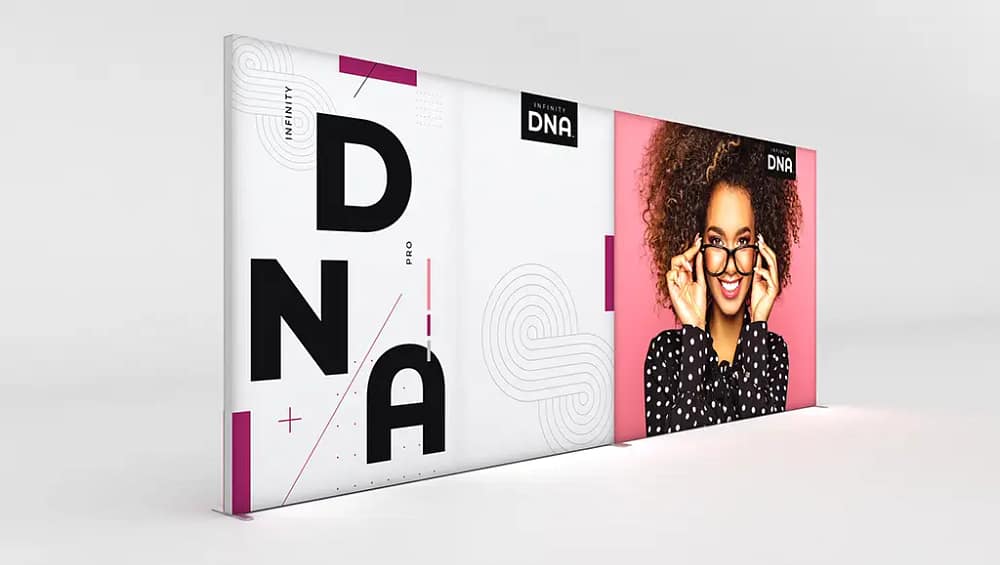
How to Assemble Infinity DNA™ Pro Lightboxes for Trade Shows
Understanding Your Infinity DNA™ Pro Lightbox Kit
Assembling an Infinity DNA™ Pro Lightbox is straightforward when you understand each component in the kit and how it contributes to the overall structure. Typically, you will unpack aluminium frame sections, corner connectors, LED light strips, base feet, power cables and SEG fabric lightbox graphics designed to sit flush within the frame. Before you begin, cross-check everything against the packing list so you are not searching for missing parts mid-build. In Australia, it is important to confirm that power supplies and drivers meet local electrical safety requirements for exhibition venues. Many businesses choose these systems as part of broader LED display solutions because they balance presentation quality with reliability. Laying all parts out on a clean, flat surface will reduce the risk of scratching panels or losing small connectors. Keeping the original packaging close by also helps with faster pack-down after your event.
Step-by-Step Infinity DNA™ Pro Lightbox Assembly
Start your assembly by arranging the aluminium frame sections on the floor in the correct order, following the diagram in your instruction sheet. Most Infinity DNA™ Pro systems use clearly labelled or colour-coded pieces, so match each section carefully to avoid twisting the frame. Connect the profiles by sliding or snapping the connectors into place using firm, even pressure rather than forcing anything that feels misaligned. Once the perimeter is secure, install the LED light strips inside the frame, ensuring the wiring follows a tidy route towards the power inlet. Careful alignment at this stage supports tool-free lightbox assembly on future events, as you will become familiar with the sequence. After confirming that all joints are locked, attach the base feet or stabilisers so the frame stands upright safely. A quick visual check for gaps or loose corners will save troubleshooting time later.
Installing Graphics, Powering and Testing the Lightbox
When the frame is stable, you can fit the SEG fabric by inserting the silicone edge into the channel, beginning with the corners to create even tension. Work gradually along each side, pressing the edge fully into the groove without stretching the fabric excessively. This method gives your custom lightbox designs a smooth, crease-free finish and prevents logos or images from distorting. Once the graphic is seated correctly, connect the LED strips to the driver, then plug into a compliant Australian power point. Switch the unit on and check for bright, even illumination across the entire surface. If you notice dim areas or banding, gently adjust the LED positions or re-seat the fabric to remove sagging. This simple testing step is essential to present energy-efficient LED backlit branding that looks professional from every angle. Confirm that cables are safely routed away from walkways to comply with workplace health and safety expectations.

Common Assembly Issues and How to Avoid Them
Several recurring issues can undermine both the look and safety of your Infinity DNA™ Pro Lightbox if not managed carefully. Forcing connectors together may bend aluminium profiles and shorten the life of otherwise reusable modular display frames. Instead, if a joint will not close, step back and confirm that each piece is the correct orientation and length before trying again. Over-stretching graphics can cause visible warping that is especially noticeable on straight lines or text. To protect your investment in portable exhibition lightbox kits, always insert the silicone edge gently and allow the fabric to settle naturally. Untidy power leads can create trip hazards, so use supplied clips or cable ties to secure wiring behind or beneath the stand. These habits help maintain a professional presentation while reducing risk on busy trade show floors.
Efficient Pack-Down and Preparing for the Next Event
Disassembly is easiest when you reverse the installation steps in a calm, methodical way. First, switch off power at the wall, disconnect the driver and gently detach the LED wiring from the frame. Remove the SEG fabric by easing the corners out first, then folding it loosely to avoid hard creases before placing it in a protective bag. Carefully unclip the LED strips and store them in padded sections of the case to safeguard connections during transport. Many exhibitors label frame pieces or photograph their modular LED trade show displays before dismantling to speed up the next setup. Once everything is packed, review the kit for damage so you can arrange replacements well before your next show. To explore compatible illuminated signage options and related hardware, you can review the range of SEG fabric lightbox graphics available for different stand sizes. For further technical background on Australian electrical standards relevant to exhibition equipment, consult the guidance provided by Standards Australia.
If you are planning your next exhibition and want to make the most of Infinity DNA™ Pro Lightboxes, take time to practise assembly in your office or warehouse before arriving on site. This rehearsal will help you refine your process, confirm time requirements and identify any accessories you may need, such as extra leads or connectors. By understanding each stage from frame construction to power testing, you can approach installation with confidence and avoid last-minute stress. Use the guidelines above as a repeatable checklist so your display remains consistent from one event to the next. If you still have questions about layout, safety or branding choices, consider speaking with a display specialist who can walk you through best-practice configurations. An informed approach ensures your stand not only looks impressive but also performs reliably throughout the entire trade show.


