Step 1: Unpack and Organise Your Components
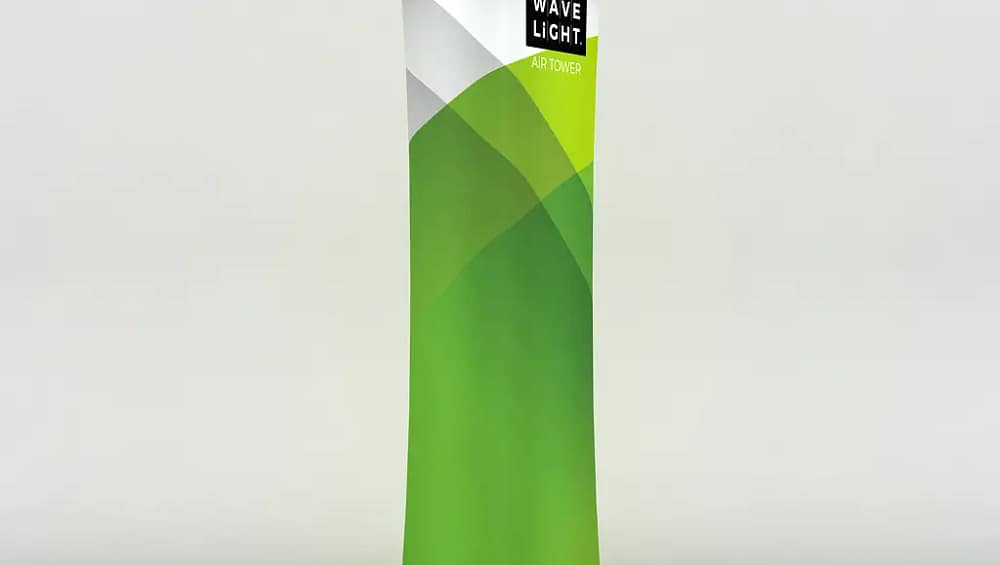
Before you begin, lay out all components on a clean, flat surface inside your allocated booth space. A standard WaveLight® Air Towers kit typically includes:
-
Inflatable internal structure
-
LED lighting system
-
Printed fabric graphic
-
Power supply and cables
-
Carry bag for transport
One of the biggest advantages you’ll notice immediately is how compact everything is. Unlike rigid frame towers, these displays are lightweight and easy to handle. This makes them ideal for exhibitors who regularly travel between Australian capital cities or regional trade events.
Step 2: Connect the Internal Air Frame
WaveLight® Air Towers use an internal inflatable frame system rather than heavy aluminium poles. Simply connect the built-in air pump or external inflation system as directed.
Once switched on, the tower inflates quickly and evenly. The structure becomes firm and stable within minutes. There is no need for tools, screws, or complicated connectors.
This is particularly helpful when you have limited bump-in time at large exhibitions. You can focus on preparing your marketing materials instead of struggling with frame assembly.
Step 3: Install the LED Lighting System
After inflation, the integrated LED lighting system is positioned inside the structure. These energy-efficient lights are designed to distribute illumination evenly throughout the tower.
The lighting component is straightforward to connect:
-
Secure the LED strips or internal light panel.
-
Connect to the power supply.
-
Test the lighting before applying the graphic.
Bright, even illumination ensures your branding stands out in busy exhibition halls. In competitive Australian trade shows, lighting can be the difference between blending in and attracting attention from across the aisle.
Step 4: Fit the Fabric Graphic Sleeve
The next step is applying the custom-printed fabric graphic. The stretch fabric sleeve is designed to slide smoothly over the inflated frame.
Carefully pull the graphic down from the top of the tower. Ensure the base aligns properly. Once in place, zip the graphic closed at the bottom.
The tension created by the inflated frame ensures a smooth, wrinkle-free finish. This gives your branding a premium appearance that looks professionally installed.
Step 5: Secure and Finalise Positioning
Once assembled, position your WaveLight® Air Towers strategically within your booth layout.
For inline booths, place the tower toward the rear corner to create height and depth.
For corner booths, angle it slightly to capture traffic from both walkways.
For island booths, consider using multiple towers to create a central illuminated focal point.
Because these towers are lightweight, minor adjustments are easy to make even after full setup.
Why WaveLight® Air Towers Are Ideal for Australian Trade Shows
Fast Setup Saves Time
Exhibition bump-in schedules can be tight. WaveLight® Air Towers significantly reduce installation time compared to traditional modular systems.
Lightweight and Travel-Friendly
If you attend multiple events each year across Australia, portability matters. These towers pack down into compact carry bags, making transport simple whether you’re flying interstate or driving to regional expos.
Illuminated Branding for Maximum Impact
Backlit displays naturally draw attention. The internal LED lighting ensures your graphics glow evenly, helping your message stand out in crowded exhibition environments.
Professional Appearance Without Complexity
Even if you have a small team, you can achieve a high-end display result. No specialist installers required.
Elevate Your Booth with Confidence
Exhibiting is an investment. You want your booth to look confident, professional, and memorable. WaveLight® Air Towers allow you to achieve height, illumination, and branding impact without complicated assembly or heavy equipment.
By following this simple step-by-step process, you can set up quickly, reduce stress, and focus on what truly matters: engaging with visitors and generating leads.